Original price was: $195.00.$43.00Current price is: $43.00.
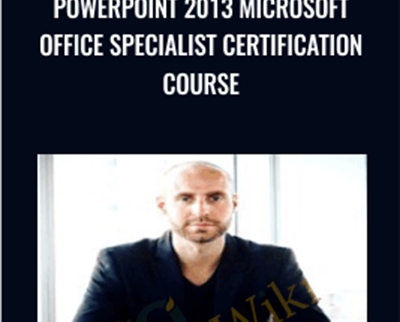
In this complete course students will learn Microsoft PowerPoint 2013 and how to receive your Specialist Certification
Level up your expertise with the PowerPoint 2013 Microsoft Office Specialist Certification Course – Joe Parys course—now only Original price was: $195.00.$43.00Current price is: $43.00. on GiOlib.com! Join a community of smart learners and access 60,000+ expert-led digital courses across Uncategorized. Save over 80% and master new skills at your own pace.
Welcome To The PowerPoint 2013 Microsoft Office Specialist Certification course
- Watch the promo video to see How You Can Begin creating powerful and effective presentations Today!
- This Course is POWERFUL! You receive over 3+ hours of video content in HD 1080p!
- Join Over 300,000+ Students Who Have Enrolled In My Online Courses!
- 7,500+ Five Star Reviews on our courses prove Students Who Enrolling Are Getting Real Results!
Then this course is for you! Click "Take This Course Now" For Instant Life-Time Access!
Here Is Everything You Will Learn In Our Complete Course:
PowerPoint 2013: Office Certification Series covers the PowerPoint 2013 Microsoft Office Specialist Exam #77-422 exam from Microsoft. By passing this exam and earning a Microsoft certification you become part of the MCP (Microsoft Certified Professional) network which will enhance job opportunities and could increase pay as well..
Here's what you will learn in this complete course:
1.0 Create and Manage Presentations
- 1.1 Create a Presentation This objective may include but is not limited to: creating blank presentations, creating presentations using templates, importing text files into presentations, importing Word document outlines into presentations
- 1.2 Format a Presentation Using Slide Masters This objective may include but is not limited to: applying a slide master, adding new layouts, modifying existing layouts, adding background images, controlling slide numbers, inserting headers and footers, modifying presentation themes
- 1.3 Customize Presentation Options and Views This objective may include but is not limited to: changing page setup options, changing to view in color/grayscale, using views to navigate through presentations, modifying presentation properties
- 1.4 Configure Presentations to Print or Save This objective may include but is not limited to: setting handout print options, printing selections from presentations, packaging presentations for CD, saving presentations as XML, printing presentations in grayscale, printing speaker notes, maintaining backward compatibility
- 1.5 Configure and Present Slideshows This objective may include but is not limited to: creating custom slideshows, configuring slideshow options, rehearsing timing, configuring resolution, using Presenter View, navigating within slideshows, annotating slideshows
2.0 Insert and Format Shapes and Slides
- 2.1 Insert and Format Slides This objective may include but is not limited to: adding slides layouts, duplicating existing slides, hiding slides, deleting slides, modifying slide backgrounds, applying styles to slides
- 2.2 Insert and Format Shapes This objective may include but is not limited to: modifying shape backgrounds, applying borders to shapes, resizing shapes, inserting shapes, creating custom shapes, applying styles to shapes
- 2.3 Order and Group Shapes and Slides This objective may include but is not limited to: inserting section headers, modifying slide order, aligning and grouping shapes, displaying gridlines
3.0 Create Slide Content
- 3.1 Insert and Format Text This objective may include but is not limited to: changing text to WordArt, creating multiple columns in a single shape, inserting hyperlinks, applying formatting and styles to text, creating bulleted and numbered listss
- 3.2 Insert and Format Tables This objective may include but is not limited to: creating new tables, modifying number of rows and columns, applying table styles, importing tables from external sources
- 3.3 Insert and Format Charts This objective may include but is not limited to: creating and modifying chart styles, inserting charts, modifying chart type, adding legends to charts, modifying chart parameters, importing charts from external sources
- 3.4 Insert and Format SmartArt This objective may include but is not limited to: adding shapes to SmartArt, changing color of SmartArt, moving text within SmartArt shapes, reversing direction, converting lists to SmartArt
- 3.5 Insert and Format Images This objective may include but is not limited to: resizing images, cropping images, applying effects, applying styles
- 3.6 Insert and Format Media This objective may include but is not limited to: adjusting media window size, trimming timing on media clips, setting start/stop times, setting media options, linking to external media
4.0 Apply Transitions and Animations
- 4.1 Apply Transitions between Slides This objective may include but is not limited to: inserting transitions between slides, managing multiple transitions, modifying transition effect options
- 4.2 Animate Slide Content This objective may include but is not limited to: applying animations to shapes, applying animations to text strings, adding paths to animations, modifying animation options
- 4.3 Set Timing for Transitions and Animations This objective may include but is not limited to: modifying duration of effects, configuring start and finish options, reordering animations, using the Animation Pane
With the right mindset, understanding, and application of the teachings in this course, you will instantly begin to move towards mastering Python!
When we learn something new, I add it to the course – at no additional cost to you! This is a course that will continue to add more and more to every aspect of your life.
You have my personal guarantee that you will love what you learn in this course. If you ever have any questions please feel free to message us directly and we will do our best to get back to you as soon as possible!
What I can't do in this Course..
I can't guarantee your success – this course does take work on your part. But You Can Do It!
I am also not responsible for your actions. You are responsible for 100% of the decisions and actions you make while using this course.
This course will not remain this price forever! It's time to take action!
Click the "take this course" button at the top right now!
…every hour you delay is costing you money…
See you in the course!
Sincerely,
Syed Raza & Joe Parys
Course Curriculum
Section 1: Course Introduction
- Lecture 1: Welcome To Microsoft PowerPoint 2013! Learn All of The Benefits of Our Course! (3:13)
- Lecture 2: Introduction and Course Agenda (10:40)
Section 2: Introduction to Slides
- Lecture 3: Creating Presentations (13:48)
- Lecture 4: Formatting Presentations (11:41)
- Lecture 5: Page Setup Options (7:48)
- Lecture 6: Working with Slideshows (7:18)
Section 3: Inserting and Formatting Shapes
- Lecture 7: Using Templates (13:16)
- Lecture 8: Formatting Slides (12:15)
- Lecture 9: Modifying Shapes (10:36)
- Lecture 10: Grouping Items (7:28)
Section 4: Transitions and Animations
- Lecture 11: Working with Transitions (10:36)
- Lecture 12: All About Animations (13:26)
- Lecture 13: Setting Time for Transitions (8:34)
Section 5: Enhancing Presentations
- Lecture 14: Inserting Screenshots (8:20)
- Lecture 15: Inserting Tables (7:31)
- Lecture 16: Screen Recording (10:13)
Section 6: Course Conclusion
- Lecture 17: Course Recap and How To Get Your Microsoft PowerPoint 2013 Certification! (1:43)
Get PowerPoint 2013 Microsoft Office Specialist Certification Course – Joe Parys, Only Price $47
Tag: PowerPoint 2013 Microsoft Office Specialist Certification Course – Joe Parys Review. PowerPoint 2013 Microsoft Office Specialist Certification Course – Joe Parys download. PowerPoint 2013 Microsoft Office Specialist Certification Course – Joe Parys discount.
Master PowerPoint 2013 Microsoft Office Specialist Certification Course – Joe Parys and accelerate your growth with GiOlib.com! For a limited time, enjoy premium digital learning with these exclusive benefits:
-
Lifetime Access: Your library never expires.
-
80% Savings: Exceptional quality without the premium price tag.
-
Instant Start: Download and learn the moment you buy.
-
Total Security: Safe payments and device-agnostic viewing.
Related products

Original price was: $199.99.$84.00Current price is: $84.00.
Original price was: $399.99.$125.00Current price is: $125.00.
Original price was: $372.00.$72.00Current price is: $72.00.
Uncategorized
Original price was: $59.99.$35.00Current price is: $35.00.
Uncategorized
Original price was: $59.99.$35.00Current price is: $35.00.
Uncategorized
Original price was: $199.99.$85.00Current price is: $85.00.
Original price was: $199.99.$85.00Current price is: $85.00.
Original price was: $149.99.$65.00Current price is: $65.00.