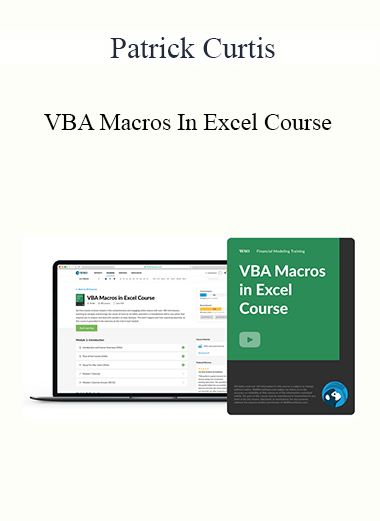
Level up your expertise with the Patrick Curtis – VBA Macros In Excel Course course—now only Original price was: $97.00.$28.00Current price is: $28.00. on GiOlib.com! Join a community of smart learners and access 60,000+ expert-led digital courses across Business and Sales. Save over 80% and master new skills at your own pace.
Purchase Patrick Curtis – VBA Macros In Excel Course courses at here with PRICE $97 $28

Introducing…
The Wall Street Oasis
35+ lessons, 3+ hours of video & a comprehensive capstone case study
In this module, we use 3 video lessons to explain code syntax and best practices on how to gain maximum efficiency when writing code. This includes a tutorial on how to build macros and guidelines to make sure you are building good habits for coding.
In this module, we use 3 video lessons to build the fundamental blocks necessary to write more complex code. This module includes a step-by-step guide on how to reference macros, reference a range, and edit cells.
In this module, we use 4 video lessons to continue building on our fundamentals by learning two Copy/Paste methods and how to declare a Variable. This module includes a walkthrough of several types of variables within Excel.
In this module, we use 3 video lessons to learn how to troubleshoot errors within our code and display user instructions using message boxes. We wrap up this module by exploring a new referencing technique through named ranges.
In this module, we use 8 video lessons to dive into more complex range functions and learn about logical statements that will wrap up the basic fundamental building blocks necessary to write VBA code.
In this module, we use 4 video lessons to learn how to make our code dynamic so that our Excel macros can be used in any situation. We wrap up the module by learning several suggestions for learning VBA code.
In this module, we use 3 video lessons to build on the previous module by learning how to record Macros and manipulate a recorded Macro. This module includes a step-by-step guide on how to dissect a recorded Macro to improve and streamline code.
In this module, we use 7 video lessons to work through a case study using all the VBA Macros and techniques we have learned so far. This include includes creating a Yes/No box, using For…next loops with an IF statement, and repurposing our code for future projects.

Certificate Course in Cognitive Behavioral Therapy for Insomnia (CBT-I): Evidence-based Insomnia Interventions for Trauma, Anxiety, Depression, Chronic Pain, & more - Colleen E. Carney & Meg Danforth
'MAGNETIC INFLUENCE' - Magnet for Money, Charisma, Confidence! - Dani Johnson
Split Strike Calendar Class - Sheridan Mentoring
Craig Garber - Client-Getting Sales-Boosting Ad Writing Workshop
007s Guide to a Womans Heart – Elite Training Bundle
(Bundle) Pindepth: Advanced Pinterest Marketing for Business - Kayla M. Butler
1 Lead A Day - Bryan Kreuzberger
"True Bee" Sittepute - Kru Bee Clinch Wizard - Kru Moonkondech
Elliott Wave The Futures Junctures Technical Toolbox – Jeffrey Kennedy
$0 to $100,000 on Amazon (Premium Live Training) – Matt Clark and Jason Katzenback
Income School 2021 (Update 1,2,3) - Project 24

Amanda Diaz - DIY Natural Light Fashion
Bot Day 2016 - O’Reilly
Loan SUPER Marketing Blueprint (King Khang - Wholesale to Million) - King Khang
Point & Figure Charting To Maximize Your Profits - Gary Dayton
“The Beast” Automated Trading System V2 (Feb 2015)
$200k Book Blueprint Training – Richelle Shaw
‘The Iceman’ 10-Week Video Course – Wim Hof Method
"Male Physique Training Templates" - Renaissance Periodization