-
×
 $100K Academy – Charlie Brandt
1 × $63.00
$100K Academy – Charlie Brandt
1 × $63.00
 $100K Academy – Charlie Brandt

Original price was: $44.00.$14.00Current price is: $14.00.
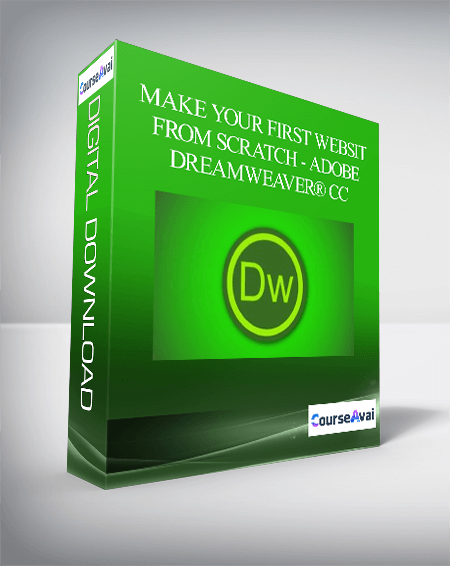
As I said from scratch! So we will start from a blank page. Then we’ll add some text in the page and will learn how to customize the text. File size: 1.22 GB
Level up your expertise with the Make Your First Website From Scratch – Adobe Dreamweaver® CC course—now only Original price was: $44.00.$14.00Current price is: $14.00. on GiOlib.com! Join a community of smart learners and access 60,000+ expert-led digital courses across Everything Else. Save over 80% and master new skills at your own pace.
As I said from scratch! So we will start from a blank page. Then we’ll add some text in the page and will learn how to customize the text. File size: 1.22 GB
Purchase Make Your First Website From Scratch – Adobe Dreamweaver® CC courses at here with PRICE $44 $14
 Make Your First Website From Scratch – Adobe Dreamweaver® CC

What you’ll learn
-
Learn the basics of Html5 and CSS3.
-
Learn how to work on text and to customize the text
-
Learn how to create and stylize links
-
Learn how to use CSS in Dreamweaver CC to stylize webpage
-
Learn the use of webfonts to stylize text.
-
Learn how to convert a static webpage into responsive
-
Learn how to create the mobile version of the website
-
Learn how to create stylish menu bar and multiple pages of a website
-
Learn how to insert a widget in the webpage
-
Learn how to insert an awesome gallery widget in the webpage.
-
Learn how to create a stylish form and its processing.
-
And finally learn how to upload a website to get this online and to access this from anywhere in the world.
-
Mobile Friendly Course.
RequirementsA computer and Adobe Dreamweaver CC installed on it to follow along with me
If you don’t have access to Adobe Dreamweaver CC, don’t worry! just sit back and watch whole process of creating a website
Four hours.
And exercise files which i’ve provided you.Description
If you don’t have access to Adobe Dreamweaver CC, don’t worry! just sit back and watch whole process of creating a website
Four hours.
And exercise files which i’ve provided you.Description
Hi there and welcome to Making Your First Website From Scratch – Adobe Dreamweaver® CC tutorial. Like to thank you for taking a look at my course. In this course I am gonna walk you through every single step of creating a complete website.
Dreamweaver CC is an application provided by Adobe and is used by professional to create and edit websites.
Get Make Your First Website From Scratch – Adobe Dreamweaver® CC download
As I said from scratch! So we will start from a blank page. Then we’ll add some text in the page and will learn how to customize the text. After working with text, we will create and stylize links. Then After positioning our content we’ll learn the basics of HTML5 and CSS. And then we’ll use the power of CSS to stylize our page. And working on CSS is much easier in Adobe Dreamweaver CC because Dreamweaver gives you the full control on CSS with the new advanced layout of CSS designer panel. Then we’ll learn how to use web fonts to stylize text. And then we’ll learn the important part of a website designing and that is its responsiveness means the webpage should be flexible across different screen sizes. And then we’ll create the mobile version of our website means our website will have different layout on mobile devices.Then we’ll learn how to create stylish menu bar and other pages for our website as our website is gonna contain four web pages. Then I’ll show you how we can insert a widget in our website by inserting an awesome gallery widget. A website can’t be complete without social media plug-ins, so we’ll learn how to add twitter or Facebook widget and a YouTube video in our website. Then we’ll create and stylize a form with which your visitors will be able to contact you. And finally we’ll upload our website to get this online and to access this from anywhere in the world. We’ll be discussing all these topics and much more in this course.The course has been created in 720p High Definition video and extra zooming and panning has been applied in the videos so that you can easily watch this course on your tablets and mobile devices.
As I said from scratch! So we will start from a blank page. Then we’ll add some text in the page and will learn how to customize the text. After working with text, we will create and stylize links. Then After positioning our content we’ll learn the basics of HTML5 and CSS. And then we’ll use the power of CSS to stylize our page. And working on CSS is much easier in Adobe Dreamweaver CC because Dreamweaver gives you the full control on CSS with the new advanced layout of CSS designer panel. Then we’ll learn how to use web fonts to stylize text. And then we’ll learn the important part of a website designing and that is its responsiveness means the webpage should be flexible across different screen sizes. And then we’ll create the mobile version of our website means our website will have different layout on mobile devices.Then we’ll learn how to create stylish menu bar and other pages for our website as our website is gonna contain four web pages. Then I’ll show you how we can insert a widget in our website by inserting an awesome gallery widget. A website can’t be complete without social media plug-ins, so we’ll learn how to add twitter or Facebook widget and a YouTube video in our website. Then we’ll create and stylize a form with which your visitors will be able to contact you. And finally we’ll upload our website to get this online and to access this from anywhere in the world. We’ll be discussing all these topics and much more in this course.The course has been created in 720p High Definition video and extra zooming and panning has been applied in the videos so that you can easily watch this course on your tablets and mobile devices.
So this course is a great place to start if you are looking to make your first website or to familiarize with the latest version of Dreamweaver.
If you are interested in designing a website and don’t know how and from where to start, then this course is for you. I’m really excited to get started on this course with you and hope you are too, so let’s get started..
Who this course is for:
Any one who wants to create a website but don’t know how to start.
Anyone who wants to make website without coding.
Anyone who knows the knowledge of Html5 and CSS3 but has not created any website yet.
Anyone who wants to familiarize with Adobe Dramweaver CC.
Anyone, young or old, from any country around the world.
Get Make Your First Website From Scratch – Adobe Dreamweaver® CC download
Purchase Make Your First Website From Scratch – Adobe Dreamweaver® CC courses at here with PRICE $44 $14
Master Make Your First Website From Scratch – Adobe Dreamweaver® CC and accelerate your growth with GiOlib.com! For a limited time, enjoy premium digital learning with these exclusive benefits:
-
Lifetime Access: Your library never expires.
-
80% Savings: Exceptional quality without the premium price tag.
-
Instant Start: Download and learn the moment you buy.
-
Total Security: Safe payments and device-agnostic viewing.
Related products

Everything Else
Original price was: $247.00.$43.00Current price is: $43.00.
Everything Else
Original price was: $147.00.$31.00Current price is: $31.00.
Everything Else
Original price was: $497.00.$52.00Current price is: $52.00.
Everything Else
Original price was: $995.00.$89.00Current price is: $89.00.
Everything Else
Original price was: $49.00.$16.00Current price is: $16.00.

Everything Else
Brian Tracy – 21st Century Sales Training for Elite Performance
Original price was: $997.00.$47.00Current price is: $47.00.
Everything Else
Original price was: $497.00.$40.00Current price is: $40.00.

Everything Else
Original price was: $2,995.00.$137.00Current price is: $137.00.