





-
×
 Jacob Sokol - Quadruple Your Coaching Biz 19 expert sessions
1 × $43.00
Jacob Sokol - Quadruple Your Coaching Biz 19 expert sessions
1 × $43.00 -
×
Todd Herman - 90 Day Year
1 × $128.00
-
×
Rachel Rodger - Small Business Bodyguard
1 × $43.00
-
×
Charles Kirkland - 4X Traffic Maximizer
1 × $35.00
-
×
Big Vision Business Team - Sold-Out Seminar Secrets
1 × $43.00
-
×
Craig Garber - Client-Getting Sales-Boosting Ad Writing Workshop
1 × $142.00
-
×
Wendy Patton - Get the Deed "Subject To"
1 × $56.00
-
×
Jason Capital - Digital Millionaire System
1 × $47.00
-
×
Richard Bandler - Memories
1 × $16.00
-
×
Annie Cushing - Annielytics Dashboard Course
1 × $89.00
-
×
Christa Orecchio - The Whole Journey Candida Cleanse
1 × $43.00
-
×
Steve Gordon - The Unstoppable Referrals Launchpad
1 × $40.00
-
×
Lisa McElmurry - Lucrative Launch Blueprint
1 × $43.00
 Jacob Sokol - Quadruple Your Coaching Biz 19 expert sessions
  Todd Herman - 90 Day Year
  Rachel Rodger - Small Business Bodyguard
  Craig Garber - Client-Getting Sales-Boosting Ad Writing Workshop
  Wendy Patton - Get the Deed "Subject To"
  Richard Bandler - Memories
  Christa Orecchio - The Whole Journey Candida Cleanse
  Steve Gordon - The Unstoppable Referrals Launchpad
 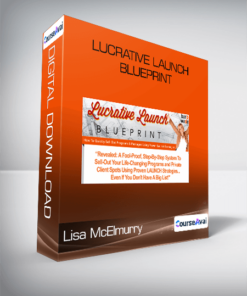 Lisa McElmurry - Lucrative Launch Blueprint


Original price was: $25.00.$10.00Current price is: $10.00.
Instant Download: You will receive a download link via your order email immediately
Save up to 85% compared to Salepage prices. In addition, earn additional points. Save more on your next order.
Please contact email: [email protected] if you have any questions about this course.
Level up your expertise with the Ezra Anderson – Affinity Designer for Beginners course—now only Original price was: $25.00.$10.00Current price is: $10.00. on GiOlib.com! Join a community of smart learners and access 60,000+ expert-led digital courses across Everything Else. Save over 80% and master new skills at your own pace.
 Ezra Anderson – Affinity Designer for Beginners
 Ezra Anderson – Affinity Designer for Beginners
If you are new to Affinity Designer, this course is for you!
I’ve been teaching Affinity Designer for over 5 years. During that time, I’ve learned the best ways to help people learn Affinity. Now in this course, I’ve brought together all of my Affinity knowledge to give you the ultimate learning experience.
This course is designed for complete beginners to Affinity Designer. Even if you are brand new to graphic design, you will still be able to easily follow along with these tutorials.
I know you’re going to love this course. The tutorials are so much fun, and I’m sure you are going to learn a lot. ?
Your Instructor
Ally Anderson
Hi there! I’m Ally, and I’m excited to be your instructor.
Back in 2018, I graduated with a degree in education. Since then, I’ve taught hundreds of tutorials for Affinity Revolution. I love helping people bring their creative ideas to life, and I can’t wait to share what I’ve learned with you!
Course Curriculum
Course Introduction
- Welcome! (0:39)
- Download the Exercise Files
- Watch the Course Offline
- Questions?
Designer Overview
- Chapter Introduction (0:13)
- New Documents, Saving, Exporting (8:10)
- Affinity Designer’s Workspace (4:04)
- Mac vs. PC (2:03)
- Navigating in Affinity Designer (2:42)
- Introduction to Layers (6:01)
- Layer Groups (2:56)
- Introduction to the Move Tool (3:47)
- Introduction to Shapes (4:53)
- Introduction to Color (7:14)
- Child Layers (3:18)
- Mountain Practice Project (10:59)
Curves for Beginners
- Chapter Introduction (0:19)
- Pen Tool for Beginners (5:05)
- Node Tool (2:59)
- Turn Shapes into Curves (2:49)
- Corner Tool (2:53)
- Combining Shapes (6:04)
- Character Practice Project (16:53)
Mastering Color
- Chapter Introduction (0:15)
- Fill Tool (3:39)
- Stroke Panel (2:50)
- Appearance Panel (3:21)
- Color Picker (1:57)
- Swatches (5:32)
- Color Resources (4:37)
- Adjustment Layers (2:48)
- Monster Practice Project (20:29)
Powerful Tools to Know
- Chapter Introduction (0:18)
- Master the Move Tool (5:00)
- Flipping and Transparency (3:28)
- Master Snapping (3:37)
- Power Duplicate (5:54)
- Layer Effects (3:51)
- Text Tool (3:08)
- Adding New Fonts (3:58)
- Free Photos and Graphics! (5:08)
- Adventure Poster Project (13:04)
The Pixel Persona
- Chapter Introduction (2:07)
- Paint Brush Tool (3:41)
- Adding Texture (6:57)
- Ice Cream Practice Project (10:51)
Final Projects
- Chapter Introduction (0:27)
- Monkey Head Project (12:06)
- Rocket Ship Project (17:17)
- Explore Badge Project (16:22)
- Course Conclusion (0:19)
Sale Page: https://courses.affinityrevolution.com/p/affinity-designer-for-beginners
Archive: https://web.archive.org/web/20210625105458/https://courses.affinityrevolution.com/p/affinity-designer-for-beginners
Master Ezra Anderson – Affinity Designer for Beginners and accelerate your growth with GiOlib.com! For a limited time, enjoy premium digital learning with these exclusive benefits:
-
Lifetime Access: Your library never expires.
-
80% Savings: Exceptional quality without the premium price tag.
-
Instant Start: Download and learn the moment you buy.
-
Total Security: Safe payments and device-agnostic viewing.
Related products
Everything Else
Original price was: $741.00.$71.00Current price is: $71.00.

Everything Else
Original price was: $297.00.$47.00Current price is: $47.00.

Everything Else
Original price was: $297.00.$43.00Current price is: $43.00.
Everything Else
Original price was: $497.00.$56.00Current price is: $56.00.
Everything Else
Original price was: $995.00.$89.00Current price is: $89.00.
Everything Else
Original price was: $2,995.00.$137.00Current price is: $137.00.
Everything Else
Lisa Sasevich – Speak- to -Sell Virtual Bootcamp – Spring 2015
Original price was: $997.00.$85.00Current price is: $85.00.

Everything Else
Original price was: $497.00.$35.00Current price is: $35.00.