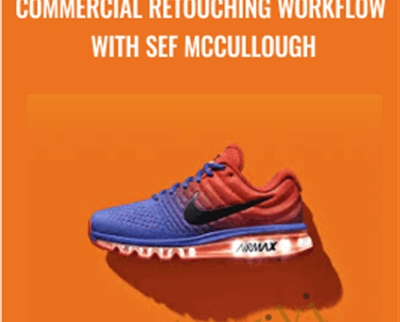
Level up your expertise with the Commercial Retouching Workflow with Sef McCullough course—now only Original price was: $99.00.$29.00Current price is: $29.00. on GiOlib.com! Join a community of smart learners and access 60,000+ expert-led digital courses across Uncategorized. Save over 80% and master new skills at your own pace.
SEF MCCULLOUGH TEACHES THE ULTIMATE COMMERCIAL RETOUCHING WORKFLOW
Sef McCullough shares the post-production workflow which has made him one of the world’s leading high-end retouchers. Sef reveals for the first time his bulletproof approach and advanced techniques to change the way you retouch product photography. This tutorial will improve your skills and give you the understanding of how to deliver high-end commercial images to your clients.
High-end commercial retouchers often keep their methods and workflow as a well-guarded secret in order to stay ahead of the competition. Sef McCullough is on the leading edge of commercial retouching with his mastery of Photoshop. As one of the world’s most sought after digital artists, Sefs workflow has been taught to only a handful of his peers.
Sef has partnered with US to bring you his photography retouching workflow and an in-depth look at many of his techniques in this incredible tutorial, “Commercial Retouching Advanced Workflow.” If you are wanting to learn advanced post-
production techniques combined with a bullet proof Photoshop retouching workflow, this tutorial will be your game changer. We combine both a product shoot and a lifestyle shoot to prove to you that an advanced commercial workflow can be applied to any Image and the subject matter doesn’t actually matter.
LESSON OVERVIEW
01. COMMERCIAL WORKFLOW
Sef McCullough Biography (3:58)
Welcome to Commercial Retouching
with retoucher, Sef McCullough. To begin this training series, hear first hand how Sef entered the industry of high end commercial retouching. As the evolution of software and technology progressed, hear Sefs pursuit of higher level photography retouching, working with some of the world’s largest, most visible brands. At the core of his process, learn what drives him to create in a demanding, ever evolving commercial world.
The Client Brief (26:31)
Join high end retoucher, Sef McCullough and photographer, Adam Levy, in a real world creative brief. Listen as Sef works to establish the intention, motivation and ultimate direction for a creative campaign featuring the Nike Air Max athletic shoe. Learn not just the definition of a creative brief but how to interact with a photographer’s vision and process to establish a creative road map for high end commercial product photography retouching.
Get Commercial Retouching Workflow with Sef McCullough – Anonymous, Only Price $33
Setting Up Your Workspace (9:51)
With the creative brief established, follow the road map with high end retoucher, Sef McCullough. In this first step of the process, learn best practices to establish a clean, logical workspace for retouching in Photoshop. Learn from an experienced pro, how to optimize the right photography tools in an organized way, so that creativity doesn’t become hampered by technology. Learn to customize your own workspace and save presets that will transition through Photoshop versions and updates.
RAW Processing (5:12)
After establishing a clean workspace in Photoshop, jump over to Capture One. Learn the importance of using a camera RAW module to process RAW image data from your photographs. Establish best practices to apply quality assurance to the images you retouch, every single time. Learn how to restore valuable data, creating balance in an image for optimum results during the often rigorous retouching applied in a Photoshop workflow. Work in high-dynamic range to recover valuable image data, analyze clarity to avoid artifacts in high-frequency image data. Create working values across the different tonal ranges of an image. Once balance is established, prepare the image for retouching in Photoshop.
Shaping (16:21)
Every step to this point in the workflow has been to prepare the image for retouching. With a creative map, efficient workspace, and balanced RAW processing, begin retouching the Nike Air Max athletic shoe in Photoshop. With this first step, learn best practices for shaping the shoe. Leverage the power of Photoshop’s Liquefy tool balanced with the seasoned experience of high end retoucher, Sef McCullough, create a clean, dimensional shap. Use Smart Objects, to work non-destructively. Learn keyboard shortcuts and tool comparisons to expedite your product retouching workflow. Manipulate form, shape, and line while listening to Sef’s philosophy and approach.
Clipping & Isolation (43:40)
Step by step, advance through the product retouching process, methodically following the road map established by the creative brief. In this section, learn the best practices for isolation in Photoshop. Leverage the power of creating paths using Photoshop’s pen tool. Create paths around and inside of the image. Follow high end retoucher, Sef McCullough, to learn the best techniques when using the Pen Tool – standard and two pass clipping. Learn shorthand naming schemes when cutting paths, understood by retouchers and designers alike. Learn the foundations of retouching product photography by mastering isolation and clipping using the pen tool.
File Setup (42:06)
Learning to isolate and clip can be daunting. Continue to follow high end retoucher, Sef McCullough, as he establishes clean workflow and best practices in complex workflows. With a library of paths set up, learn a method called tiered masking. Learn a different retouching method, using pixel layers to eliminate errors that can occur with mask edges. Develop a thorough method of organization and continue to use Smart Objects, to harness the power of a non-destructive workflow.
Markup (6:12)
As you progress through the organization of the retouching process, learn how to identify all of the problem areas and distractions within an image like this. Walk through and dissect the Nike Air Max athletic shoe, using markup to note and define the areas of interest to smooth out the shoe and idealize all of the forms. Evaluate texture, specks, dust, and shoe form at a more localized level. Learn to see the subtle details while not losing the natural range of the image.
Get Commercial Retouching Workflow with Sef McCullough – Anonymous, Only Price $33
Cleanup (44:17)
After completing the markup stage, move into cleaning up the Nike Air Max athletic shoe. Focus on textural detail as well as larger areas of value and hue. Follow high end retoucher, Sef McCullough, in a more advanced method of frequency separation. Using an advanced texture cleanup process, overcome the negative association with frequency separation by eliminating the problems around low frequency blur. Leverage the power of the median tool and wipe away the destructive haloes cause by gaussian blur. Challenge yourself to think in a new way, following an advanced texture cleanup process.
Contouring (41:09)
With a more advanced method of frequency separation as part of your toolset, transition to the contouring phase of retouching. Utilize the power of Photoshop’s curve tools, to dodge and burn your image for creating subtle, smooth rolloff that adds dimension. Learn to dynamically optimize the working Photoshop file size to optimize system performance. To avoid computer system lag and file corruption, learn best practices saving your files in a PSB format.
Background (21:41)
Cleanup is a massive task in high end retouching. And this is the highest end workflow to establish the most creative freedom. With the complex technical phase of the process complete, move into the creative exploration of retouching. Shift hue and saturation to create a different body color on the shoe with ease. Reference the creative brief, from photographer, Adam Levy, and build a background aligned with his creative direction. Begin to manipulate color, modo, integration. Start having a lot of fun!
Shadow (24:24)
At this stage, utilize an action to create a convincing shadow cast on the custom background that you’ve created. Use the power of curves and hue/saturation layering for a convincing color build. Adjust luminosity and hue in a separate and organized way. Manipulate white and black points, creating real body for a convincing, realistic shadow effect. Learn how to evaluate and correct unwanted banding that often appears when generating custom gradients in Photoshop.
Creative Elements – Bubble Sole (41:36)
Begin to integrate some of the finer details in the retouch, adding creative elements to the bubble sole of the athletic shoe. Use flares that were shot by photographer, Adam Levy, and integrate them into the product story. Jump back over from Photoshop to Capture One, and select the best exposures for the light flares. Use channel masking to create a clean composite for the new integrated elements. Learn the value of a staged, intelligent workflow, building in flexibility for client feedback.
Color Grade (14:26)
Using paths, curves, and group, learn to color grade add additional lighting effects to bring the Nike Air Max athletic shoe closer to a finished look. Utilized the organization from the early stages of the retouching process and leverage the power of masks. Work through the length of the shoe, from toe to heel, assessing color, complement, and balance to create a professional color grade.
Get Commercial Retouching Workflow with Sef McCullough – Anonymous, Only Price $33
Workflow-Finishing (13:59)
Before sending the image off for round 1 review, use a couple of finishing moves to bring the entire creative image together. Using high-pass and some grain across the surface of the shoe, create a consistent, finished surface. Learn do develop a process for finishing with subtle details to set your retouching apart from the rest. With the creative complete, learn to assess the image for any final mistakes before sending images off for client review.
File Prep for Send Off (2:08)
With the first round of retouching complete, learn best practices for sending files to your client. Learn the advantage of using prepared actions, that duplicate and flatten your image. Prepare the image into a review ready format, with optimum compression settings and send the file using standard FTP options for client review.
First Review (31:32)
With the first round of retouching sent to the client, watch a real world client interaction, between retoucher, Sef McCullough and photographer, Adam Levy. Watch a live breakdown and discussion about assessing current work, pushing the creative further, taking client feedback, and developing a process for the second round of retouching.
First Revisions (39:45)
With fresh notes from the creative brief, work with high end retoucher, Sef McCullough, to execute the notes from the first review. Using the markup notes from the call, begin to incorporate the feedback into the working file. Begin with the most intensive notes and work forward to refine the creative. Learn workflow practices that allow you to see your progress as you continue to refine the image. Address cleanup, brightness and saturation. Create an effect for transillumination or sub-surface light scattering. Learn now to address photographer’s notes, maintain the relationship, while problem solving the creative. Reference backplates and address the notes, moving the creative though the second round of retouching in Photoshop.
Second Review (15:20)
With the first round of revisions complete, observe as high end retoucher, Sef McCullough, works through a second live review to go over the image progress. In the review, watch as the photograph gives detailed notes on the color, lighting effects and refines his vision. Listen as Sef, asks pointed questions to move the edit closer to a finished, deliverable image.
Final Delivery (9:38)
After receiving final approval from the client, apply the final changes to create a commercial deliverable image. Integrate a new shadow for more speed and shape. Using high pass, smart objects and filters, quickly iterate through the final notes. Finish the final pass of retouching a create a clean, professional, commercial image for the Nike Air Max athletic shoe.
Get Commercial Retouching Workflow with Sef McCullough – Anonymous, Only Price $33
Tag: Commercial Retouching Workflow with Sef McCullough Review. Commercial Retouching Workflow with Sef McCullough download. Commercial Retouching Workflow with Sef McCullough discount.
Master Commercial Retouching Workflow with Sef McCullough and accelerate your growth with GiOlib.com! For a limited time, enjoy premium digital learning with these exclusive benefits:
-
Lifetime Access: Your library never expires.
-
80% Savings: Exceptional quality without the premium price tag.
-
Instant Start: Download and learn the moment you buy.
-
Total Security: Safe payments and device-agnostic viewing.

Flipping Ugly Houses Fast (Wholesaling) - Ron Legand
Geoff Lawton - Online Permaculture Design 2.0

The Easy Way To Earn Your First Million Online - Nigel Hinds
BKF - Bruce Kumar Frantzis - Hsing-I (Vol.1 - 5)
Roger Love – Find Your Funny
Erle Montaigue - MTG38 - Baguazhang Essentials Vol1 The Classics
Zulu Trading Method For The Soybeans - Joe Ross
Kibo Code QUANTUM - Steven Clayton & Aidan Booth
Erle Montaigue - Bagua Collection
Grant Cardone – Incoming Call Mastery 2021
Qi Men Dun Jia Pro - Joey Yap
10x Wealth and Business New – Brendon Burchard
Quantum Dreaming - Robert Moss
[Download Now] Secret Entourage – Real Estate Wholesaling Course
$100k Social Workshop
'Quantum' Chakra Clearing and Balancing Series - Jonette Crowley
$100K Online Marketing Kit – Staci Ann
Qigong 101 - Flowing Zen
10x Facebook Ads – Joanna Wiebe
Ron's Cash Flow System - Ron Legand
Ben Settle – Crypto Marketing & Email Players
Rachel Rodger - Small Business Bodyguard
CRYPTO BLASTER - New Money Making Method (Not Related To Trading Crypto)
Build Powerful GPTs Course By Rob Lennon
Lost Case Rescue Session - Brett and Ethan
Commercial Retouching Workflow
Zero Down Real Estate Investing
Derek Rydall - Emergineering Mastery
ConversionXL (Drew Sanocki) - Ecommerce Growth Masterclass
Mobile Marketing Certification Course – Market Motive
Submission Grappling 3 Disc Set - Baret Yoshida
ZonSquad Site Rip
Charles Kirkland - 4X Traffic Maximizer
Fast Track to Wealth - Ron Legand
The Offshore Banking Guide
Unlock the Productivity Cheat Codes - Khe Hy
Daniel Sullivan - Dirty Boxing (Panantukan)
Jason Capital - Instagram Agent System
CSW 2012 Camp - Erik Paulson
Amy Lippmann - Done-for-You Speaking Kit
Rocket Profit Multiplier
Darren LaCroix - Own The Stage
Erle Montaigue - Erle's Fighting System The Physical Side
Emerging Adults: Clinical Strategies to Gain Independence, Defeat Anxiety and Succeed in the Real World - Kimberly Morrow & Elizabeth DuPont Spencer
Erik Paulson's Greatest Hits - Erik Paulson
Selling Houses Fast - Ron Legrand
Julian Foxx Super Naturals + bonus (Fixed Torrent Fixed corrupted file)
"Diamond Wealth of Being" Activation - Jacqueline Joy
Mastery Empowerment Course - Lauren Galey
Amazon - A To Z The Complete Guide To Dominate Amazon FBA
Alan Cowgill - Private Lending Made Easy Premium System
THE VAULT: The Ultimate Bundle of Resources for Seducers - PUA DATING TIPS
Maggie Bayless – Bottom-Line Training® Trainer’s Toolkit
Wayne Dyer – 101 Ways to Transform Your Life
AudioBook The Mental Game of Trading A System for Solving Problems with Greed, Fear, Anger, Confidence – Jared Tendler
Gina DeVee - Life Purpose Project LIVE
Chase Chappell – TikTok Ads Mastery Course 2022
Ultimate Day Trading Strategy - Raghee Horner – Simpler Trading
Clickovation - AdWords Step-By-Step
Alicia Streger - 2016 Edition 52 Weeks of Facebook Content
Stone River Elearning – Complete Social Media Marketing
Upgrade your productivity - Entheos Academy (VA)
6 Steps To Institutional Order Flow
John Overdurf – A Glimpse Inside… TranceForming Values
HYPNOSIS I - Julie Silverthorn & John Overdurf
The Secret Mindset – TSM Academy
Aidan Booth & Steve Clayton - 100k Factory - Ultra Edition
Aura Turbo Robot
Rori Raye – Targeting Mr. Right
Rhode Island Mental Health & The Law - 2020 - Robert Landau & Frederic Reamer
TikTok Ads Mastery Course 2022 - Chase Chappell
Supplement Copy Boot Camp By Kim Krause Schwalm
Stone River Elearning – Facebook Marketing
Jeremy Burns – Source Code Gold Mine Version 7
Outsource School – OF Insider
Jeremy Burns – Source Code Gold Mine Version 12
The 9 Super Powers Manifestation Program
The Linkedin Executive Advantage Live Mentorship Program
Passive Passion Project - Becca Luna
Income School 2021 (Update 1,2,3) - Project 24